AI GIF Face Swap
My Works
No works yet
Upload a photo and a face to create your first swap
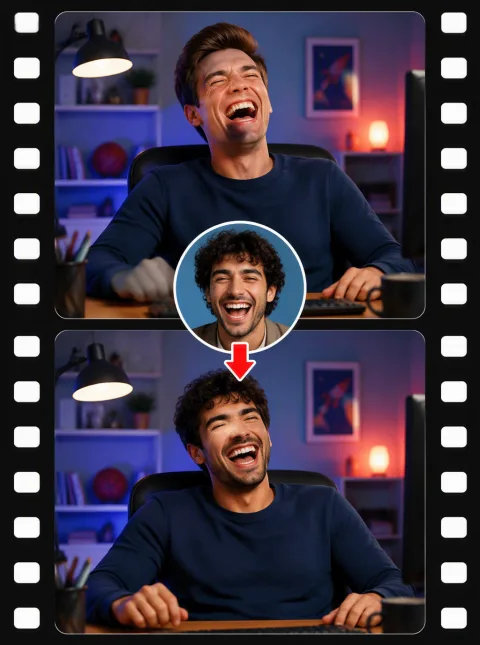
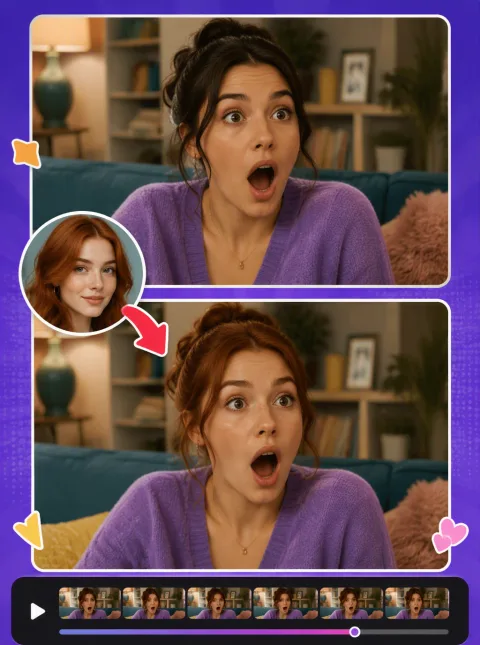
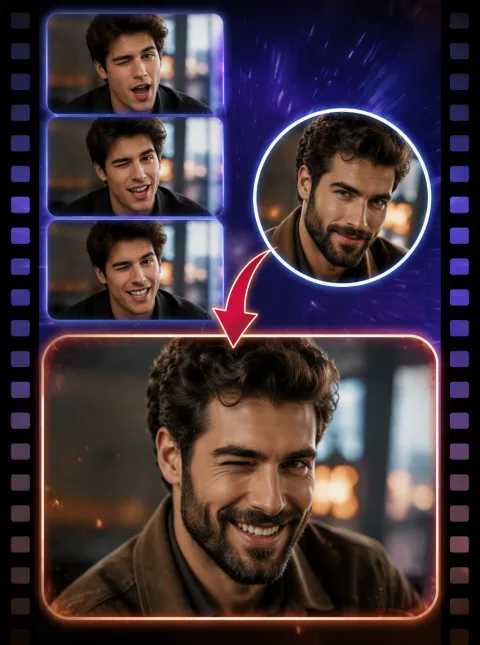
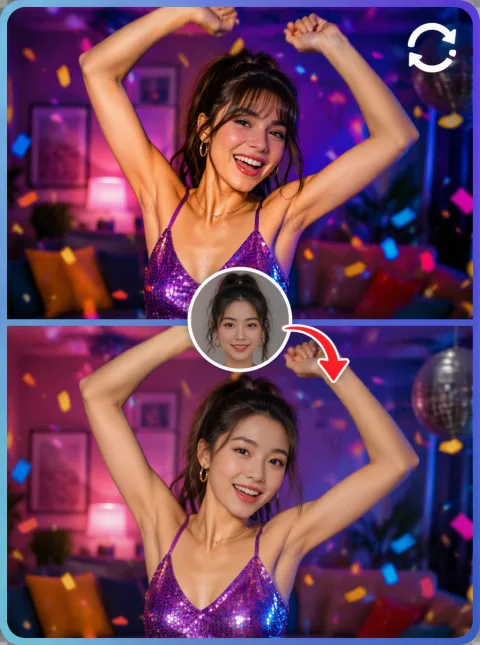
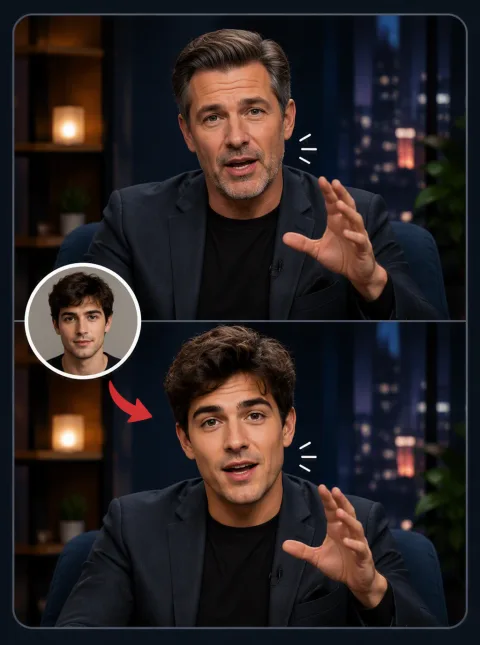
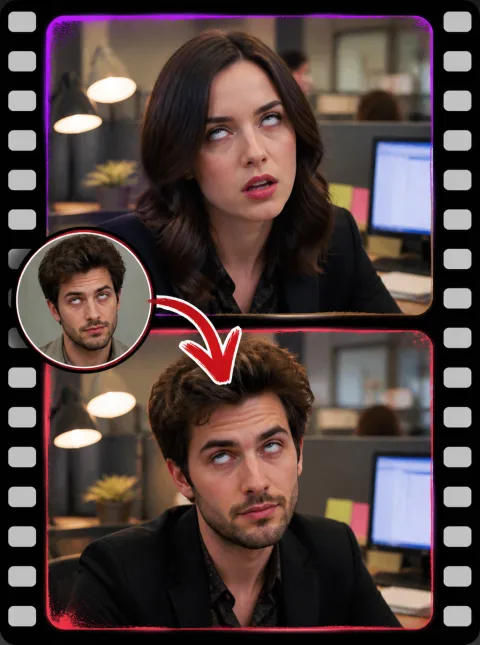
An AI GIF face swap puts any face into an animated GIF while the animation keeps playing exactly as before. Upload a GIF and a face photo, and the AI detects the face in every single frame, replaces it, and rebuilds the animation with the original timing and loop intact — that frame-by-frame approach is what keeps expressions and motion looking natural instead of pasted on. It is the fastest way to turn a trending meme template or reaction GIF into one that stars you: think putting your face into a classic laughing loop, a dramatic side-eye, or the meme your group chat has been recycling all week. Everything runs online in your browser, results come out in HD with no watermark, and your first swaps are covered by free credits. If a swap ever fails, the credits come straight back.
GIF Face Swap Examples in Motion
How to Do a GIF Face Swap in 3 Steps
- 1
Upload your GIF
Choose the animated GIF you want to edit (up to 10MB). This is the clip whose face will be replaced while the animation stays intact.
- 2
Add the target face
Upload a clear front-facing photo (PNG, JPEG or WebP, up to 10MB) of the face you want to drop into the GIF.
- 3
Swap and download
Our AI processes the GIF frame by frame — most clips finish in 30 seconds to 2 minutes depending on frame count. Preview the result, then download your HD, watermark-free GIF. Larger files use more credits, and the exact cost is shown before you submit.
Why Use Our GIF Face Swap
Frame-by-frame AI, no flicker
The face is detected and swapped on every individual frame, then the animation is reassembled at the original frame rate. The new face follows every head turn and expression change without jitter, ghosting or sudden jumps.
HD output, no watermark, free to try
Finished GIFs keep the source resolution and timing, with no watermark ever added. Sign-up and daily check-ins give you free credits; after that you pay per swap — no subscription, and failed swaps refund automatically.
Private to your account
Your uploads, face photos and finished GIFs are visible only to you. Nothing is published or used for anything else, and you can permanently delete any file whenever you want.
What You Can Make with a GIF Face Swap
Meme templates that star you
Take any trending meme GIF — the distracted boyfriend, a grumpy cat glare, the blinking guy — and swap in your own face. The joke lands twice as hard when the meme is literally you.
Reaction GIFs for the group chat
Swap your face (or a friend’s) into eye-rolls, slow claps, facepalms and shocked gasps. Build a personal reaction pack that turns every chat reply into an inside joke.
Movie and TV scene cameos
Put yourself into an iconic animated scene — a dramatic entrance, a mic drop, a slow-motion walk. A GIF face swap makes a five-second cameo you can share anywhere.
Birthday and holiday surprises
Swap a friend’s face into a dancing celebration loop or a festive greeting GIF and send it on their birthday. A custom animated card beats a text message every time.
FAQ
How do I swap a face in a GIF?
Upload your GIF, then upload the face image you want to put in it. Click "Swap face" and the AI applies the new face to every frame of the animation. The result downloads as a GIF.
What files are supported and how big can the GIF be?
The source must be a GIF file up to 10MB; the target face is a still image (PNG, JPEG or WebP) up to 10MB. For the best balance of quality and speed we recommend GIFs under roughly 100 frames — very long loops work too, they just take longer and cost more credits.
How is a GIF face swap priced?
GIF swaps are priced by file size, so larger GIFs cost more credits. The exact cost is estimated and shown before you submit, and failed swaps are refunded automatically.
Are my GIFs and uploads private?
Yes. Your uploaded GIFs, target face photos and finished results are tied to your account and visible only to you. Nothing is published or shared unless you choose to share it, and you can permanently delete any file from your uploads at any time.
How do I get the clearest GIF face swap, and will the animation stutter?
For the sharpest result, use a clear, well-lit, front-facing target photo and a GIF where the face is clearly visible. The AI processes every frame, so the original animation, timing and loop are preserved. The swapped GIF plays just as smoothly as the source and does not stutter.
How long does a GIF face swap take?
Most GIFs finish in 30 seconds to 2 minutes. Processing time scales with frame count and resolution, since the AI swaps the face on every frame individually. A progress indicator shows the task status, and you can leave the page and pick the result up later from your works.
My GIF is over the size limit — what can I do?
If your GIF is over 10MB, trim it to the seconds that matter, reduce its resolution, or run it through a GIF compressor first — our free GIF editor and compressor tools can do both. A shorter, tighter loop usually makes a better meme anyway.
Why was no face detected in my GIF?
Face detection needs the face to be reasonably large, well-lit and visible. Very small faces, heavy motion blur, extreme angles or pixelated sources are the usual causes. Try a GIF where the face is clearly visible in most frames, and a front-facing, well-lit target photo.
Does it work on anime or cartoon GIFs?
The AI is trained on real human faces, so results on anime and heavily stylized cartoon faces are hit-or-miss — it may not detect them at all. Realistic faces in animated GIFs work best. Cartoon-style sources are worth a try, but expect weaker results.
Will my GIF have a watermark or lower quality?
No watermark, ever — on free credits or paid. The output keeps the source GIF’s resolution, frame rate and loop settings, so the swapped version plays exactly like the original. Quality in, quality out: a sharp source GIF gives the sharpest result.
Start Your Free GIF Face Swap
Upload a GIF, add a face, and let the AI swap it frame by frame — HD, watermark-free, ready to share. Sign up for free credits and make your first animated face swap now.